Running Desktop app
Stay connected to your apps on any device. Everyone needs instant access to their work no matter where they are – we’ve got you covered! Mobile, desktop, or web, App Builder is designed, so you can empower your team to reach its full potential from any device, even on the go.
Troubleshooting
Linux installer
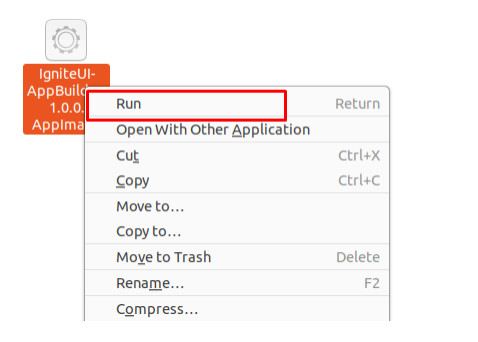
Have in mind that when you download the AppBuilder.AppImage file on Linux it may not be executable by default. So in order to be able to run it you should do the following things:
- Navigate to its folder
- Open terminal and write the following command chmod +x AppBuilder.AppImage.
- Right click on the file, click on the Run button and the app will start.
Proxy server limitations (Disconnected error)
The following error might be thrown while using the Desktop application “Disconnected - it seems browser cannot connect to our servers.”
Possible reason for the error could be that the proxy server is blocking some requests (company policy limitations).
A resolution for that problem would be whitelisting “*.indigo.design” and “*.infragistics.com” for both https and secure websocket.
The detailed list is as follows:
- https://my.appbuilder.dev (https 443)
- wss://my.appbuilder.dev (websocket 443)
- https://cloud.indigo.design (https 443)
- https://igniteuithemingwidget-previous.infragistics.com (https 443)
- https://igniteuithemingwidget-prod.infragistics.com (https 443)
- https://iam.infragistics.com (https 443)
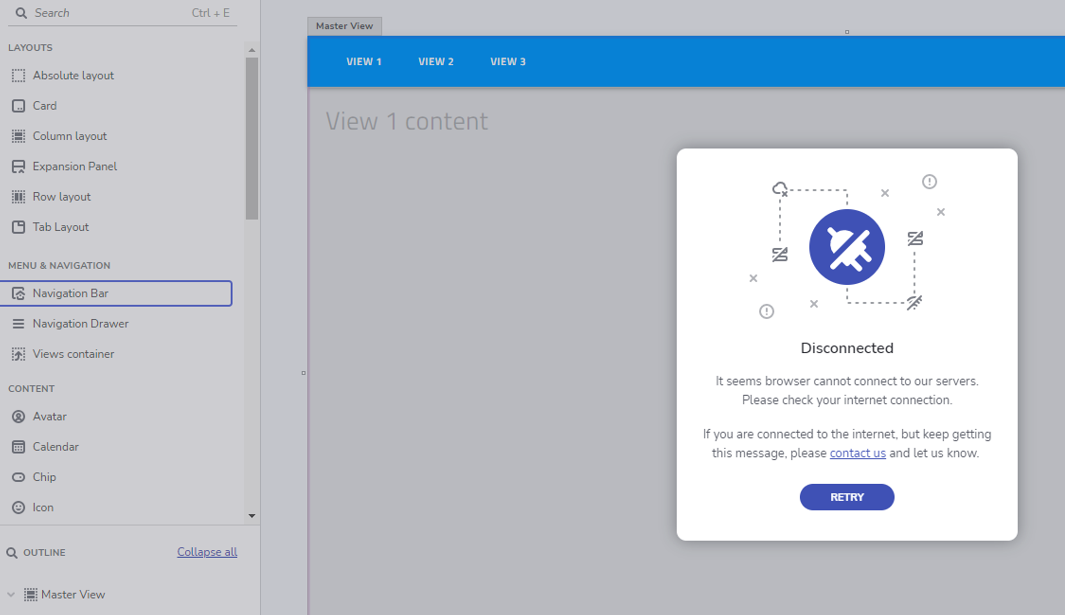
Disconnected error