
New Components Are Out: Grid Lite, On-Prem AI configs & AI UX improvements
This release introduces new components focused on navigation and data presentation. Here are the details before you try them out.
 Zdravko Kolev
5min read
Zdravko Kolev
5min read
Last week’s App Builder update introduced new components for building modern navigation and data experiences, along with significant quality-of-life improvements to our AI capabilities that make the “text-to-app” journey smoother and more intuitive.
The new Navigation Tabs component simplifies tab-based navigation, while Grid Lite provides a lightweight option for displaying tabular data. On the AI side, contextual editing and improved feedback make it easier to understand and control AI-generated changes. Also, we introduced new offline AI configurations for On-Premises installations ensuring data sovereignty while using Generative AI.
Before diving into these new functionalities, if this is your first time learning about App Builder, let me quickly share why you should consider it a key tool in the application development process for your organization:
- A visual app builder – the unified platform for C-level executives, enterprise architects, dev team leaders, designers, developers, and stakeholders.
- Cloud-based WYSIWYG drag & drop tool that helps companies design and build complete business apps 80% faster than ever.
- A low-code tool generates production-ready code for Angular, React, Web Components, and Blazor, and converts Figma designs to code.
Now, let’s dive deep and explore what’s new in this App Builder release.
All the New Components at a Glance
This release introduces new components focused on navigation and data presentation. Here are the details before you try them out.
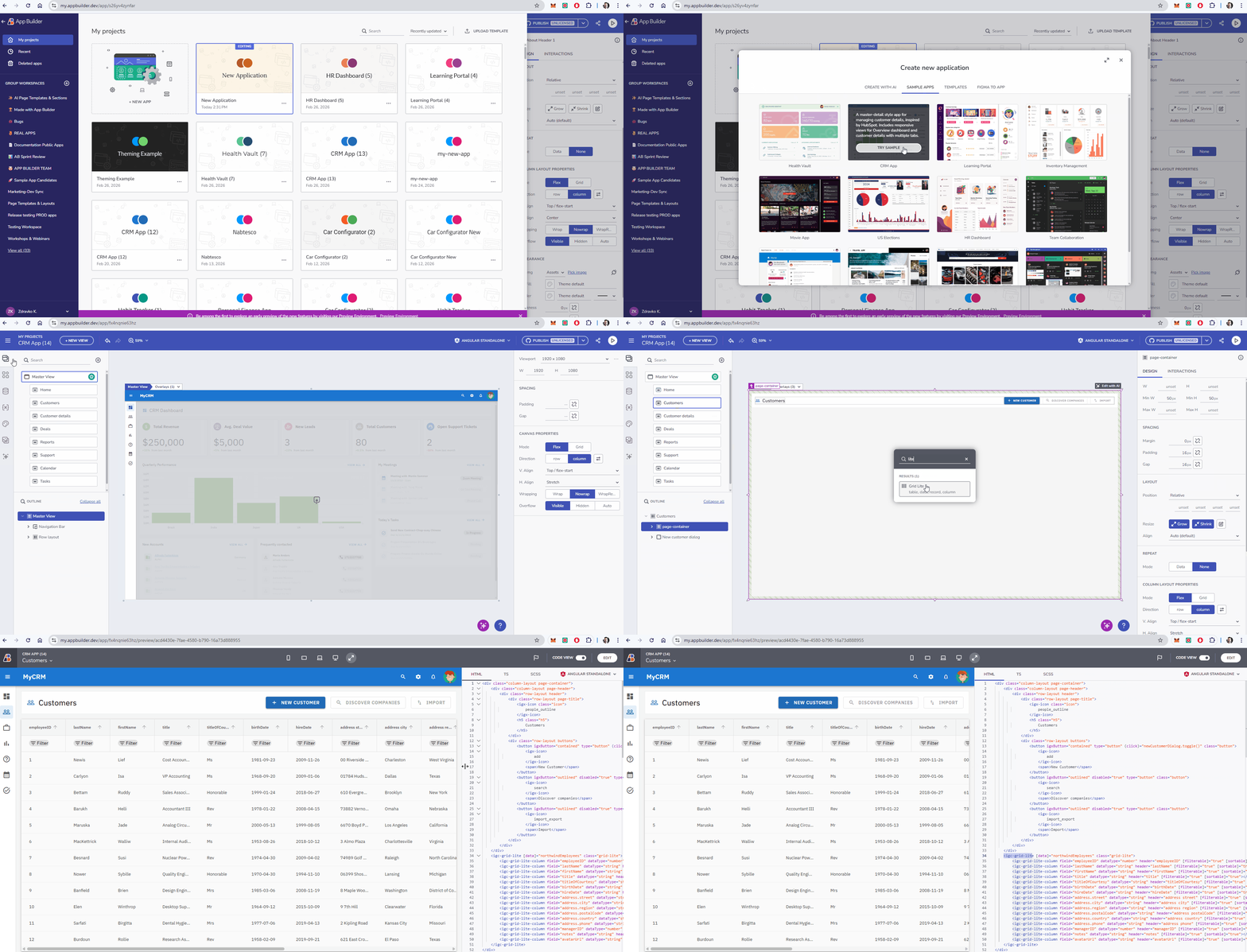
Grid Lite
Sometimes you don’t need the heavy lifting of a full Enterprise Data Grid. You just need a fast, clean way to display tabular data.
- Essential Features: Perfect for simple lists, read-only data views, or scenarios where performance is paramount over complex filtering/sorting.
- Lightweight Performance: Optimized for speed and simplicity.
Grid Lite is ideal for:
- Simple data tables
- Read-only data views
- Faster rendering scenarios
This makes it a great choice when you need tabular data without the overhead of a full data grid.
Navigation Tabs
Building tab-based navigation often requires complex state management and routing logic. Our new Navigation Tabs component solves this out of the box.
- Automatic Route Selection: The component automatically detects the active route and selects the corresponding tab, ensuring your UI is always in sync with the URL.
- Seamless Integration: It drops directly into your app layout and works natively with our existing routing system.
This component is ideal for dashboards, detail pages, and multi-section applications.
AI in App Builder: Contextual and Informative
AI shouldn’t just be a “generate once” button; it should be a co-pilot that helps you refine your work.
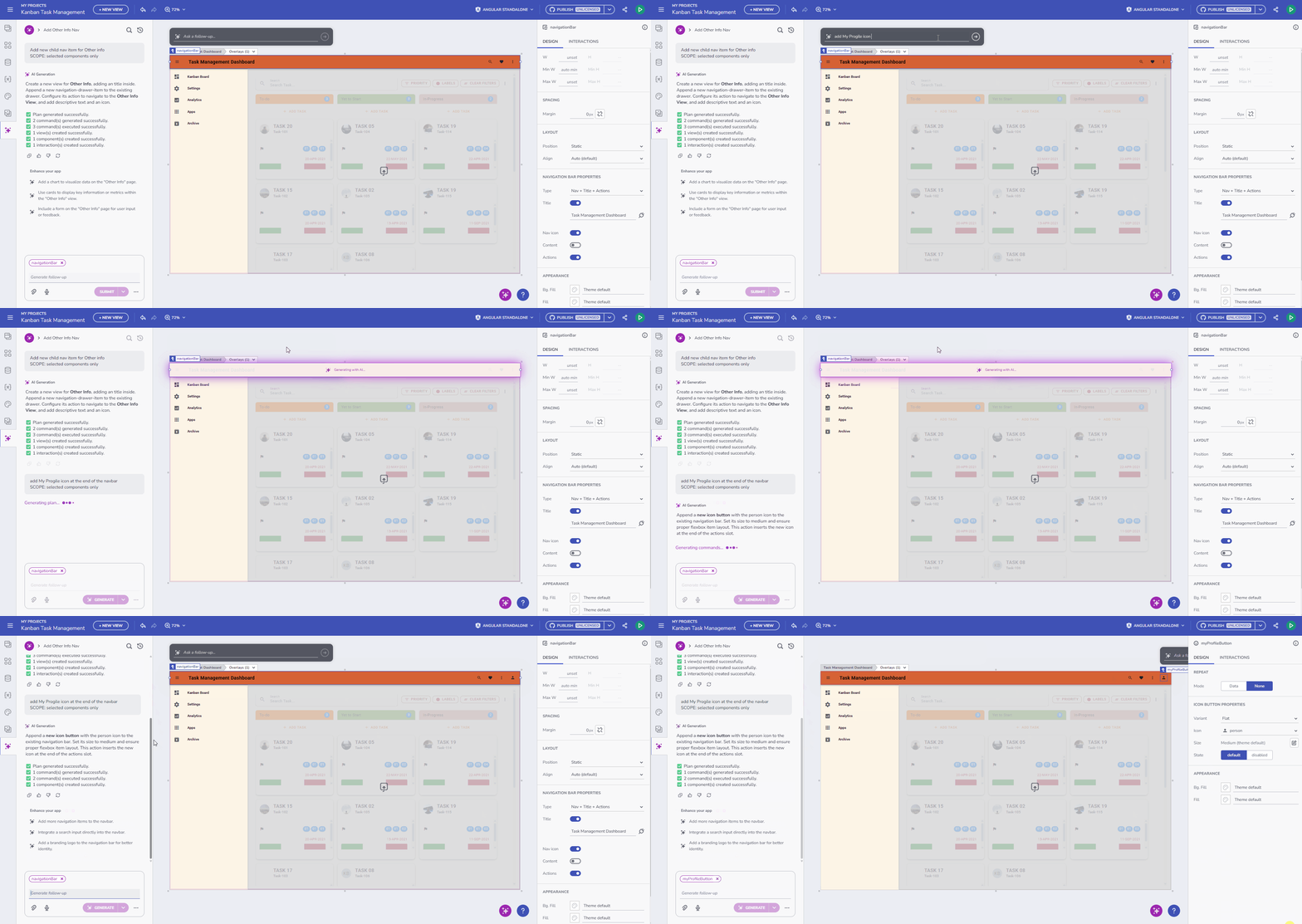
1. Contextual “Edit with AI” Adorner
This is a game-changer for iterative design. We’ve added a collapsible “Edit with AI” adorner that appears directly on selected components on the canvas.
- Why it helps: You no longer need to leave your current context to make AI tweaks. Select a grid, a card, or a form, and ask the AI to “change the color scheme” or “add a profile image” right there.
- Visual Control: It’s collapsible, so it stays out of your way when you don’t need it.

2. Enhanced AI Progress Indicator
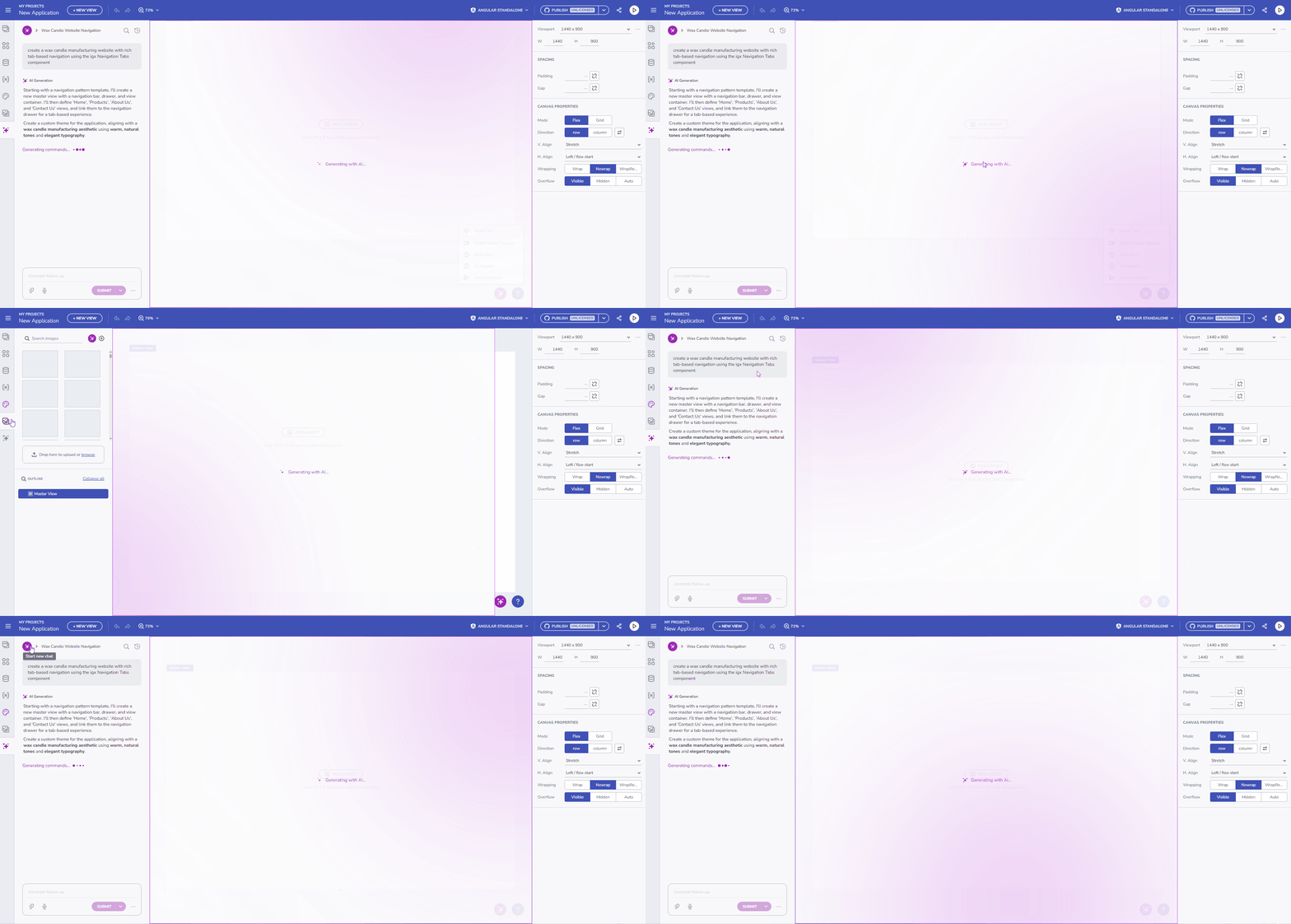
Trust in AI comes from transparency. We’ve enhanced the progress indicator to clearly reflect the generation scope. Instead of looking to the “Generate with AI” dialog, you will now see exactly what the AI is building – whether it’s generating a data source, constructing a layout, or applying a theme – giving you better insight into the process.
On-Premises Update: Bring Your Own AI (BYOAI)
For our enterprise customers where data privacy and compliance are paramount, we are introducing fully configurable Offline AI Support. Read the full guidance topic here.
We understand that many organizations cannot send data to public cloud AI providers. With this release, App Builder On-Prem allows you to set your own AI configurations to work completely without internet access.
- Air-Gapped Capabilities: Configure local AI providers and models directly via the
ai.appsettings.jsonfile. - Total Data Sovereignty: Leverage the power of GenAI for UI creation while ensuring no data ever leaves your secure infrastructure.
- Custom Model Control: You decide which models drive your development, giving you control over versioning, speed, and privacy.
Component Improvements
We’ve also polished existing components to give you more control over layout and logic.
- Card Component Flexibility: You now have full support for flexible width and height sizing. We’ve also improved the default dimensions and layout behavior, so Cards look great the moment you drop them on the canvas, responsive by default.
- Stepper Validation Logic: We added support for binding the
isValidproperty on Stepper steps. This allows you to control the flow of a multi-step wizard programmatically, preventing users from proceeding until specific validation criteria (like a filled form) are met.
Wrapping Up
This release strengthens App Builder’s position as the bridge between design and code. By offering both lightweight components for speed and deep AI integration for productivity, we are helping teams ship better apps, faster.
Try the new features today at my.appbuilder.dev
App Builder is a game-changer in the app development process. With its cloud-based visual builder, low-code capabilities, and new features, it’s a must-have tool for any organization. Try it out today! If you need more details, we encourage you to check out our:
To experience everything in the latest App Builder updates, visit your customer portal and get the latest version. As usual, we are always excited to get your feedback and hear what you want to add or recommend. So please email me at zkolev@appbuilder.dev and let me know how we can help you continue delivering value to your customers with Infragistics.