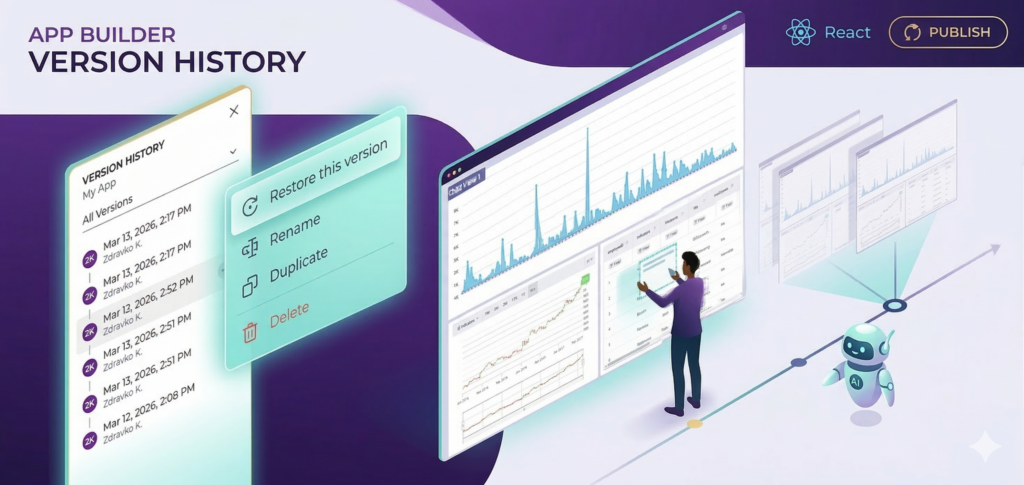
Year-End Release: Centralized Notifications, Query Builder for Angular, and Smarter AI
Our December release brings together several improvements that make building and refining apps more predictable and efficient.
 Zdravko Kolev 4min read
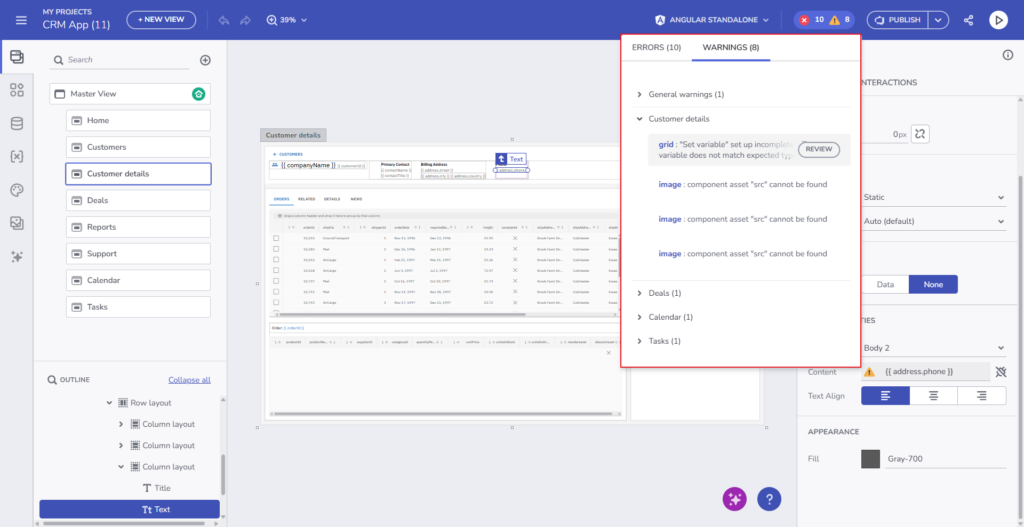
 A new Centralized notification UI aggregates design-time errors and warnings, giving you immediate visibility into issues as you work. Angular developers can now leverage a Query Builder component to define complex filtering logic with greater control. We’ve also modernized the AI app creation entry point and improved generation quality for common app patterns such as content-heavy pages, image galleries, and Kanban board****s, setting a strong foundation for the year ahead.
Before diving into these new functionalities, if this is your first time learning about App Builder, let me quickly share why you should consider it a key tool in the application development process for your organization:
- A visual app builder – the unified platform for C-level executives, enterprise architects, dev team leaders, designers, developers, and stakeholders.
- Cloud-based WYSIWYG drag & drop tool that helps companies design and build complete business apps 80% faster than ever.
- A low-code tool generates production-ready code for Angular, React, Web Components, and Blazor, and converts Figma designs to code.
Now, let’s dive deep and explore what’s new in this App Builder release.
Centralized Design-Time Notifications for Faster Validation and Debugging
This release introduces a centralized notification UI that aggregates design-time errors and warnings across your application, giving you clear visibility into issues that may block code generation or cause runtime failures. The system surfaces common problems such as broken bindings, missing or deleted resources, invalid parameters, and type mismatches—all in a dedicated panel that supports navigation directly to the affected areas. By focusing exclusively on design-time validation, App Builder helps teams catch problems earlier, before they reach export or deployment.
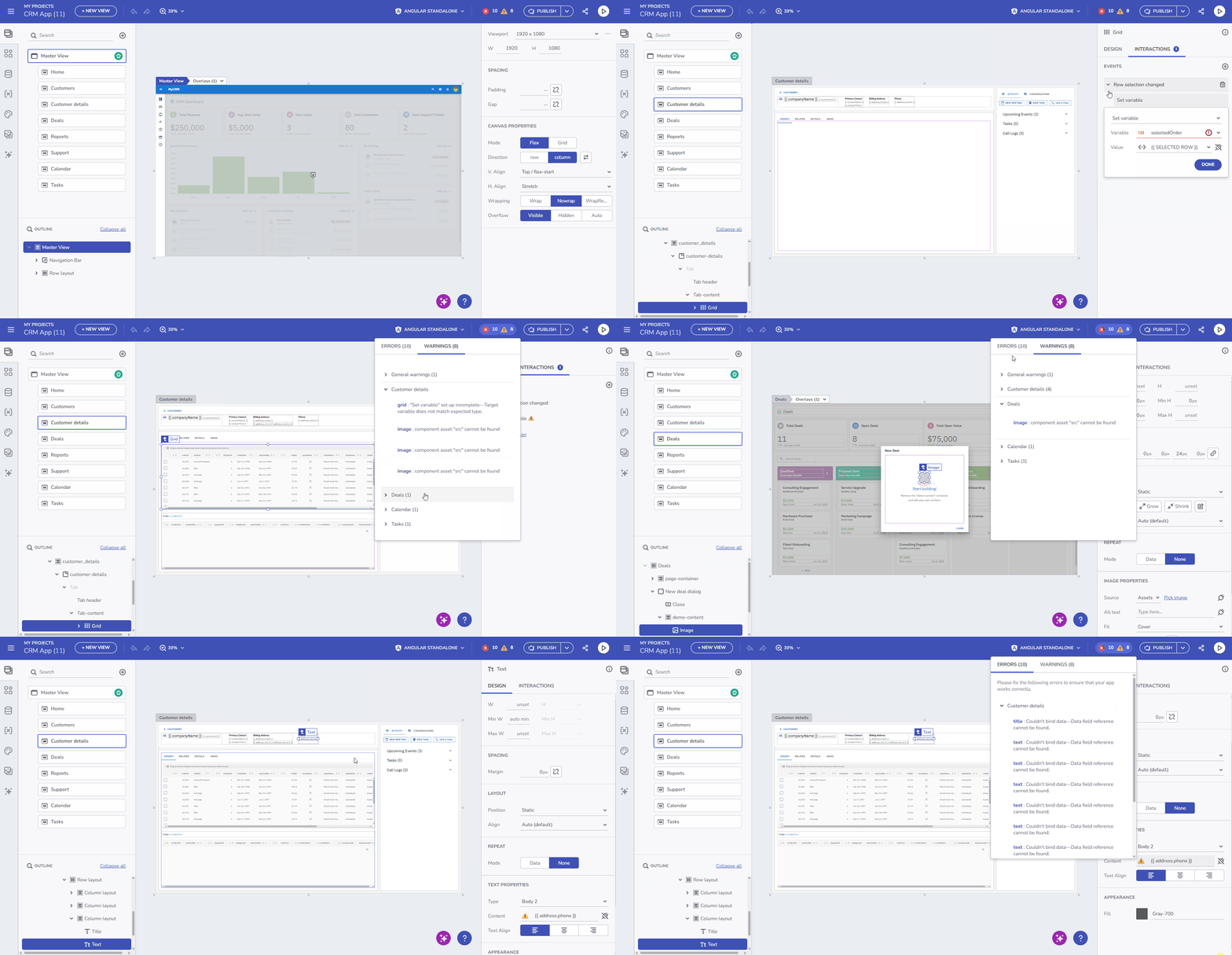
It covers a broad range of scenarios, including requirements on data sources, invalid property bindings, action targets, variable initialization issues, API request misconfigurations, and missing assets or themes. Together, these checks provide a more predictable and reliable app-building experience, especially as applications grow in complexity.
Query Builder for Angular: Advanced Filtering from Design to Code
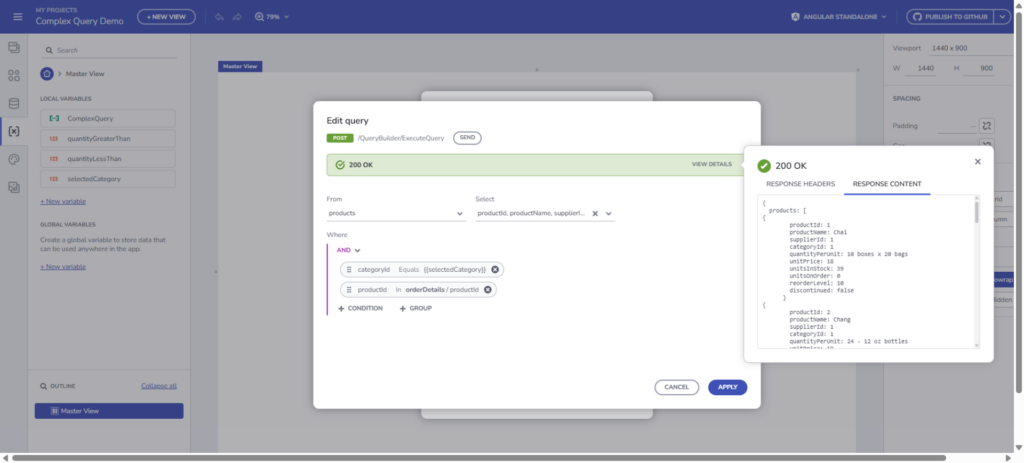
The new Query Builder component introduces a powerful way to define and manage complex filtering logic in Angular apps built with App Builder. It is based on two core concepts:
- The Query Builder component itself
- The Query Variable – a specialized variable designed to interact efficiently with data sources.
Query Variables enable server-side filtering by passing advanced expressions as API parameters, allowing you to work with large datasets while maintaining strong performance.
The Query Builder is used in two ways:
- As an interactive UI component that end users manipulate directly on the canvas
- As an advanced editor for Query Variables inside App Builder.
Once an app using the Query Builder is exported, the generated Angular application includes full support for the component, allowing developers to continue building locally with the same filtering capabilities.
While the Query Builder component and Query Variables define how queries are composed and edited in the UI, executing those queries requires a server-side engine that can interpret and apply them consistently. To support this end-to-end workflow, App Builder relies on a dedicated execution library that can be integrated directly into API projects.
Extending Query Builder to Your API Projects
There are two approaches to implement Query Builder support in your API project:
Approach
Best For
Effort Level
NuGet Package (Infragistics.QueryBuilder.Executor)
Quick integration, standard use cases
Low
Manual Implementation
Full customization, complex requirements
Medium-High
This guide outlines how to implement Query Builder Models and Utilities in your API Project to enable user-defined queries.
To enable full end-to-end Query Builder workflows, we exposed the Infragistics.QueryBuilder.Executor library, which provides the server-side logic required to execute user-defined queries. This library is designed to be integrated directly into API projects.
The library includes Query Builder models, execution utilities, and extensibility points for translating query expressions into executable SQL. It supports advanced filtering, logical operators, field selection, and subqueries, making it suitable for complex, data-driven scenarios. A reference implementation of this integration is available in the NorthwindAPI REST API project, demonstrating how to wire the executor into a controller and apply it against real data sources.
AI: What’s new?
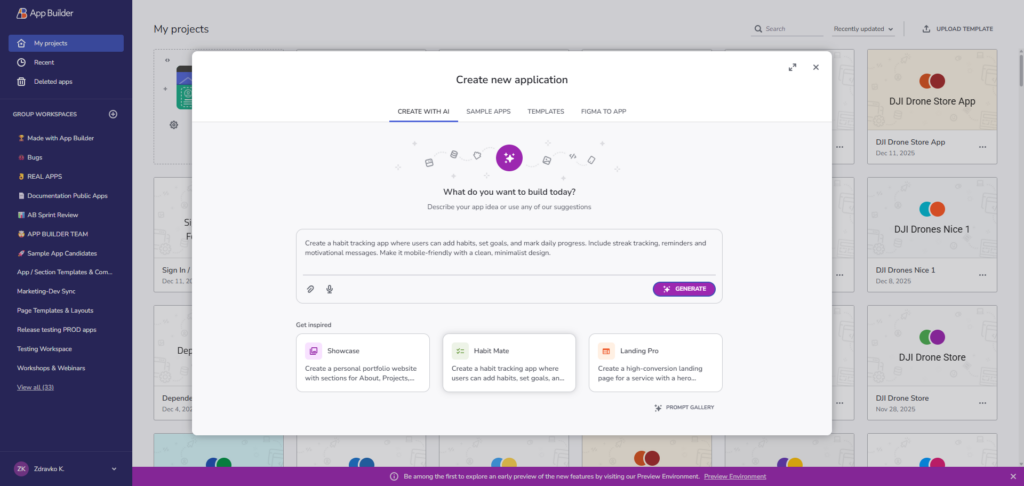
We have redesigned the “Create New App” Dialog: A “beautified” modern interface now includes a Prompt Gallery for inspiration and a Your Prompts tab to easily reuse previous inputs.
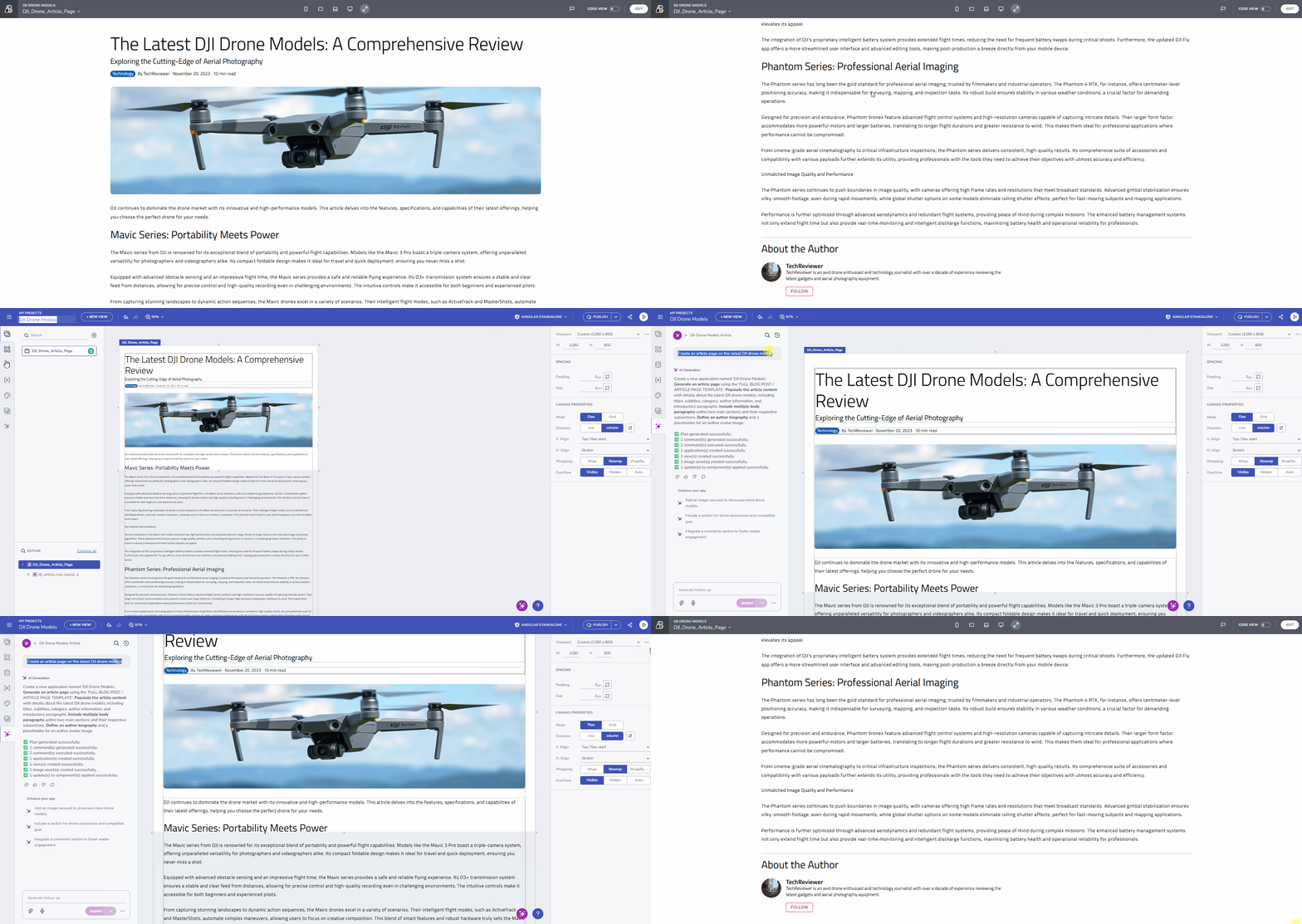
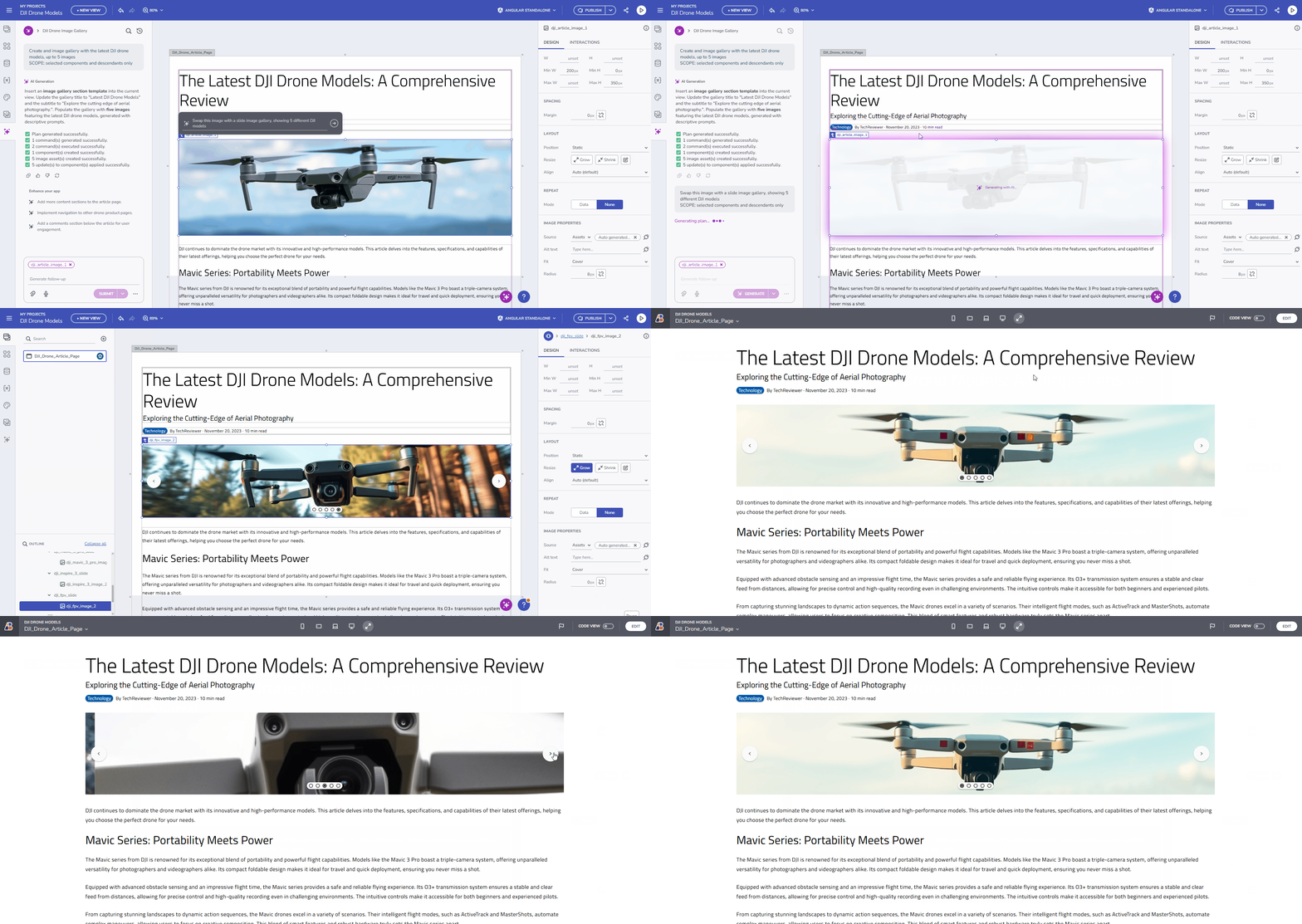
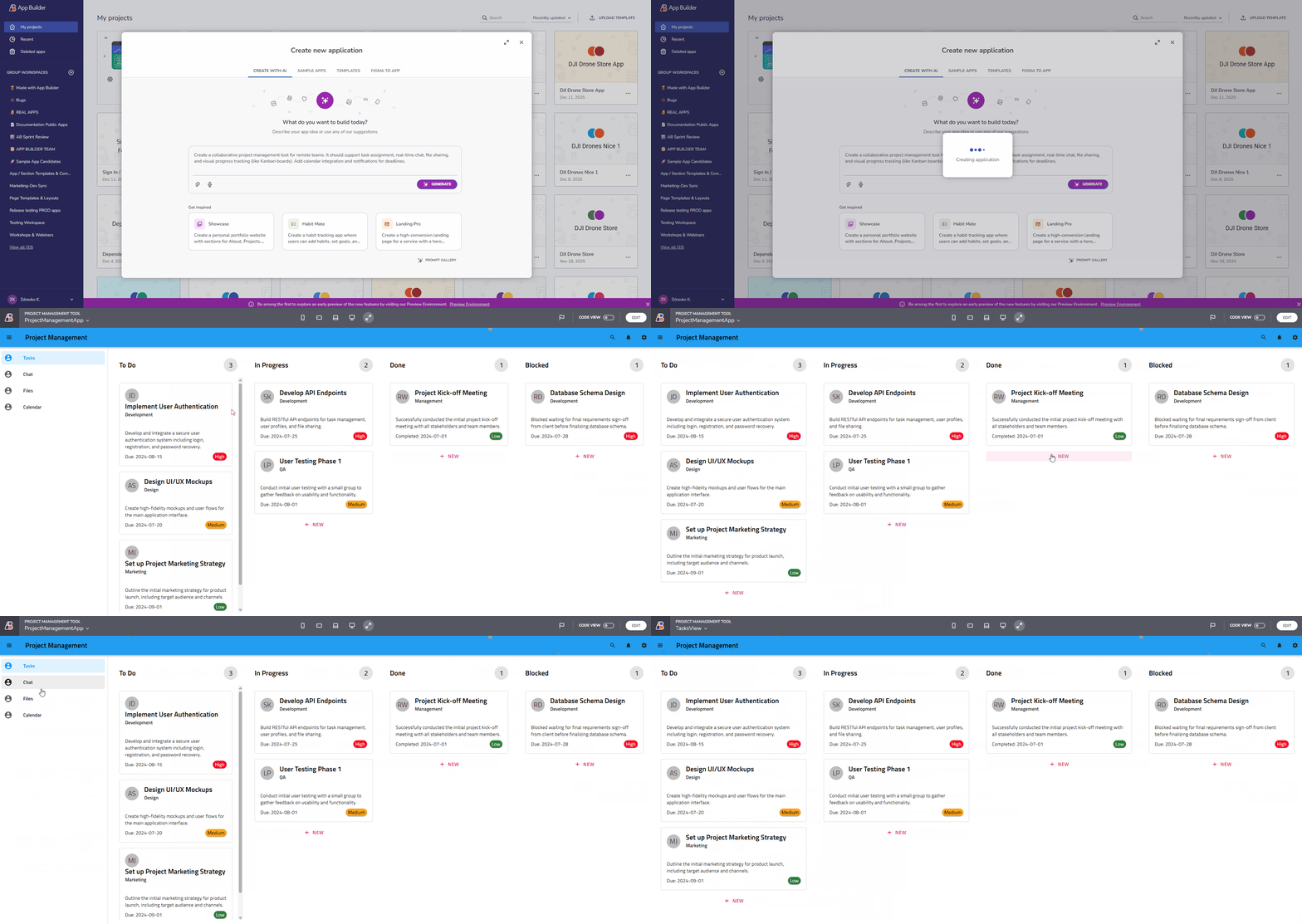
Also, our AI generation has been optimized to deliver better structural accuracy across:
- Full-page blog posts
- Dynamic image galleries (and carousels):
- And Kanban boards featuring refined column and task card apps:
Wrapping Up
This release reinforces App Builder as a reliable environment for designing, validating, and generating applications with confidence. Centralized design-time notifications help detect issues earlier, while the new Angular Query Builder provides greater control over complex data scenarios. Combined with a more refined AI creation flow and improved generation accuracy for common app patterns, these updates help teams move from idea to implementation with fewer interruptions and more predictable results.
If you missed our previous update covering Conditional Data Actions, check it out here.
Try the new features today at my.appbuilder.dev
App Builder is a game-changer in the app development process. With its cloud-based visual builder, low-code capabilities, and new features, it’s a must-have tool for any organization. Try it out today! If you need more details, we encourage you to check out our:
To experience all the new features in the latest App Builder updates, visit your customer portal and install the latest version. As usual, we are excited to receive your feedback and hear what you would like to add or recommend. So please contact me at zkolev@appbuilder.dev and let me know how we can help you continue delivering value to your customers with Infragistics.